AI Business Process Automation: RPA vs Workflow Automation vs AI Agents
Workflow automation, RPA and AI agents solve different problems. Here is how they differ, where each fits, and the controls an agent needs before it acts.
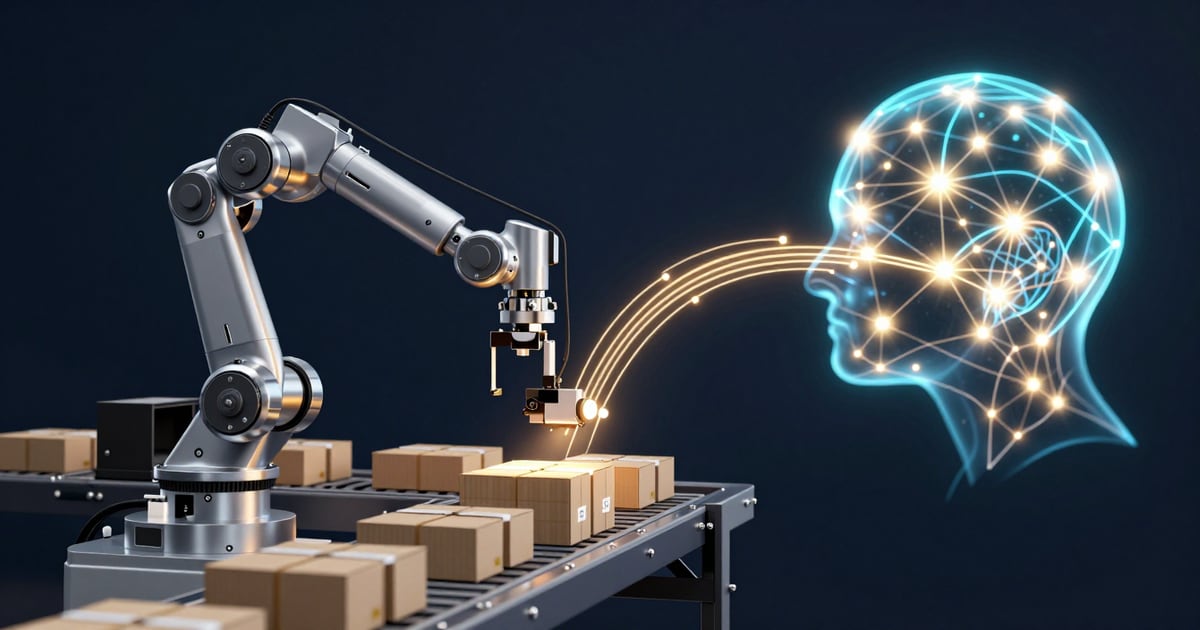
Three Kinds of Automation, One Decision
The phrase AI business process automation can cover three different technologies: rule-based workflow automation, robotic process automation (RPARPA — Robotic Process AutomationHard-coded software bots that follow scripted steps (click, type, read fields) to automate repetitive desktop or web workflows. Brittle against UI change, which is why AI computer-use agents are increasingly displacing it.) and AI agents. They are built differently, they fail differently and they need different controls. Choosing the wrong one is how a simple integration becomes a fragile screen-scraping bot, or how a well-defined approval step ends up with a model that decides probabilistically.
This guide compares the three using the vendors' own documentation and published security guidance, then sets out the controls an agent needs before it touches a production system. It assumes you already have a candidate process. If you are still deciding which processes to automate, start with AI Automation: Which Business Processes to Automate First, which covers prioritization.
Rule-Based Workflow Automation: Predictable Steps Between Systems
Workflow automation runs a fixed sequence of steps when a trigger fires. Microsoft's Power Automate documentation describes cloud flows as "automated workflows that connect your apps and services to help you automate tasks and processes," triggered by events such as the arrival of an email or a specific time of day (Microsoft Learn: Overview of cloud flows). Microsoft lists automated, instant and scheduled cloud flows, and describes connectors for cloud or on-premises services as the way flows talk to other systems.
UiPath's documentation draws the same line from the other side: "A workflow is a structured sequence of steps executed in a fixed order." UiPath describes workflows as having deterministic paths, where every run follows the same branches given the same inputs (UiPath: Agents and workflows).
Where it fits: the inputs are structured, the systems involved have APIs or connectors, and the business rule can be written down in advance. Routing an approved purchase order into your ERPERP — Enterprise Resource PlanningIntegrated business management software (SAP, Oracle, Dynamics) managing finance, HR, manufacturing, and supply chain., posting a web form to a CRMCRM — Customer Relationship ManagementPlatforms (Salesforce, HubSpot, Dynamics 365) managing customer interactions, sales pipelines, and marketing campaigns. record or sending a scheduled reminder are workflow problems. Because the path is fixed, you can test every branch, and UiPath says workflows align "with compliance and audit needs." That predictability is the main reason to choose workflow automation whenever it can do the job.
RPA: Automating the Screen When There Is No API
Robotic process automation drives an application's user interface the way a person would. Microsoft says Power Automate desktop flows "broaden the existing robotic process automation (RPA) capabilities in Power Automate," and that they can automate legacy applications such as terminal emulators as well as modern web and desktop applications, interacting with the machine "by using application UI elements, images, or coordinates" (Microsoft Learn: Introduction to desktop flows).
RPA can run with or without a person present. When a cloud flow triggers a desktop flow, Microsoft's documentation has you set the run mode to attended or unattended (Microsoft Learn: Trigger desktop flows from cloud flows). Microsoft describes unattended desktop flows as "ideal for automating tasks that don't need human supervision": Power Automate signs in to the machine, runs the flow, then signs out and reports its activity (Microsoft Learn: Run unattended desktop flows).
The same page shows why screen-level automation needs care. Microsoft warns that the screen resolution of an unattended session might differ from the one used when the flow was built, which "can result in errors if a target element isn't found, or even in interacting with the wrong element if keyboard or mouse actions are used." Automation that depends on what is drawn on a screen can break when the screen changes, so it needs monitoring and maintenance.
Where it fits: a stable, rule-based task in an application that offers no API or connector, such as a legacy terminal system or a vendor portal. Treat RPA as a bridge to systems you cannot integrate any other way, and use an API-based workflow when one exists. UiPath's documentation characterizes RPA robots as "deterministic, rule-based" and best for "repetitive tasks, structured workflows" (UiPath: About agents), which puts RPA on the predictable side of the line alongside workflow automation.
AI Agents: Judgment at Runtime, With Probabilistic Behaviour
UiPath describes an agent as "a software system driven by large language models" (LLMLLM — Large Language ModelThe foundational AI engine — like ChatGPT, Claude, or Llama — customized and secured for your business data.s) that can reason, act and adapt toward a goal. Microsoft's Copilot Studio documentation says an agent "follows the instructions you give it, draws on the knowledge sources you connect, and uses tools to take action, reasoning through a request and deciding the best next step based on its instructions and context" (Microsoft Learn: Copilot Studio overview). UiPath lists four components of an agent: a prompt, context, tools and escalation paths, the last being "human-in-the-loop mechanisms" for review, approval or assistance (UiPath: About UiPath Agents).
The defining difference is how decisions get made. UiPath's documentation states that, unlike "deterministic systems such as RPA robots, which follow structured logic and fixed rules," agents "use a probabilistic approach to make decisions based on patterns and real-time data." That is what lets an agent read an unstructured email, work out what the sender wants and choose a tool. It is also why you cannot assume the same input will always produce the same action.
UiPath's guidance on when to use agents is direct: "Tasks with high accuracy, legal, financial, or regulatory constraints should continue to rely on deterministic automation." Its agents-versus-workflows page recommends agents "when inputs are unstructured, multimodal, or require contextual understanding," and when "decisions or branching must happen at runtime based on partial or evolving context." For the business functions where agents are being applied, see Agentic AI: What It Means for Your Business.
How to Choose Between Them
Ask these questions about each step of the candidate process, in order.
Can the rule be written down in advance? If a person could document every branch, use workflow automation.
Does the target system have an API or connector? If it does, integrate through it. If the only way in is the user interface, RPA is the fallback, with the maintenance that screen-level automation carries.
Are the inputs unstructured, or does the next step depend on context only available at runtime? Free-text emails, documents with varied layouts and requests that need interpretation are where an agent can add something that workflows and RPA cannot.
What happens if the step is wrong? Where a step carries accuracy, legal, financial or regulatory constraints, UiPath's own guidance is to keep it on deterministic automation. An agent can still prepare the work, with a deterministic step or a person making the final change.
Many processes need all three. UiPath describes an agentic workflow as one that "blends the adaptability of agents with the structure of workflows," and defines agentic automation as "the orchestration of agents, robots, and humans in a unified automation ecosystem." Microsoft's Copilot Studio documentation likewise notes that a workflow can call an agent to complete a step, and that agent flows can include human review steps. A practical pattern: a workflow receives the request, an agent classifies it and extracts the details, a person approves anything consequential, and a workflow or RPA bot makes the change in the system of record.
HCC's AI automation consulting service can help you map a process step by step and decide which of the three each step needs.
The Controls Agentic Automation Needs
Workflows and RPA bots do what they were scripted to do. An agent can take an action nobody scripted, and that changes what has to be controlled. Guidance published by OWASP, NIST and the Model Context Protocol project points to a consistent set of controls.
Limit what the agent can do. The OWASP GenAI Security Project's entry LLM06:2025 Excessive Agency calls it "the vulnerability that enables damaging actions to be performed in response to unexpected, ambiguous or manipulated outputs from an LLM," with root causes of excessive functionality, excessive permissions and excessive autonomy (OWASP: LLM06:2025 Excessive Agency). OWASP's mitigations include minimizing the tools an agent can reach, avoiding open-ended tools, minimizing the permissions those tools run with, executing actions in the user's own context with the minimum privileges necessary, and requiring a human to approve high-impact actions before they are taken.
Enforce authorization outside the model. OWASP's complete mediation mitigation is to "implement authorization in downstream systems rather than relying on an LLM to decide if an action is allowed or not."
Treat everything the agent reads as untrusted. NIST's Center for AI Standards and Innovation (CAISI) describes agent hijacking as "a type of indirect prompt injection" in which "an attacker inserts malicious instructions into data that may be ingested by an AI agent." In a red-teaming exercise on agents powered by Anthropic's upgraded Claude 3.5 Sonnet in the AgentDojo test framework, NIST's CAISI reports that attacks developed for that model raised the attack success rate "from 11% for the strongest baseline attack to 81% for the strongest new attack" (NIST: Strengthening AI Agent Hijacking Evaluations). An agent that reads customer emails or web pages is reading input an attacker can control.
Require consent before tool use. If you connect agents to systems through the Model Context Protocol, the specification states that "Hosts must obtain explicit user consent before invoking any tool" and that descriptions of tool behaviour "should be considered untrusted, unless obtained from a trusted server." The specification also says MCP cannot enforce these principles at the protocol level, so implementors should build consent and authorization flows into their applications (Model Context Protocol: Specification, version 2026-07-28). Anthropic announced on December 9, 2025 that it was donating MCP to the Agentic AI Foundation, a directed fund under the Linux Foundation (Anthropic: Donating the Model Context Protocol), and the project's governance page now names it Model Context Protocol a Series of LF Projects, LLC (Model Context Protocol: Governance and Stewardship). The MCP deep dive covers the protocol's architecture.
Put people at the decision points, and give them context. UiPath Maestro's user task is a step where "the process execution pauses at this step until an assignee has completed the task" (UiPath: User task), and Microsoft says Copilot Studio workflows include human-in-the-loop controls. Approval only works if the approver can judge the action: the OWASP Top 10 for Agentic Applications for 2026, which OWASP published on December 9, 2025, lists Human-Agent Trust Exploitation as ASI09, and OWASP's launch post describes how "confident, polished explanations misled human operators into approving harmful actions" (OWASP: Top 10 for Agentic Applications launch). Its other listed risks include Agent Goal Hijack, Tool Misuse, Identity and Privilege Abuse, Memory and Context Poisoning and Cascading Failures.
Keep accountability with your organization. The generative AI principles issued by the Office of the Privacy Commissioner of Canada with provincial and territorial privacy regulators tell organizations using these tools that accountability for decisions rests with the organization (Office of the Privacy Commissioner of Canada: Principles for generative AI). An agent does not change who answers for the outcome.
What to Do Next
Map the process before choosing a tool. Write out each step, its inputs, the system it touches and the consequence of getting it wrong.
Default to the deterministic option. Use workflow automation where the rule is known and an API exists, RPA where only a screen exists, and an agent only for the steps that need interpretation.
Design the agent's limits before its prompts. Decide which tools it may call, under which account, which actions need human approval and what gets logged.
Test with hostile input. Before an agent reads external email or web content in production, test it with injected instructions, given the hijacking risk NIST and OWASP describe.
Adopt a risk framework. NIST released its AI Risk Management Framework on January 26, 2023 for voluntary use, and NIST's page notes that the framework is being revised (NIST: AI Risk Management Framework). For agents specifically, NIST's CAISI announced the AI Agent Standards Initiative on February 17, 2026, with pillars covering industry-led agent standards, community-led open-source protocol development and research into agent security and identity (NIST: AI Agent Standards Initiative).
HCC's AI governance and compliance service can help you set approval thresholds, access scopes and audit logging for an agent before it goes live.
Sources
Microsoft Learn — Overview of cloud flows Microsoft Learn — Introduction to desktop flows Microsoft Learn — Trigger desktop flows from cloud flows Microsoft Learn — Run unattended desktop flows Microsoft Learn — Microsoft Copilot Studio overview UiPath — About agents UiPath — About UiPath Agents UiPath — Agents and workflows UiPath — Maestro user task OWASP GenAI Security Project — LLM06:2025 Excessive Agency OWASP GenAI Security Project — OWASP Top 10 for Agentic Applications launch OWASP GenAI Security Project — OWASP Top 10 for Agentic Applications for 2026 NIST — Technical Blog: Strengthening AI Agent Hijacking Evaluations NIST — AI Risk Management Framework NIST — Announcing the AI Agent Standards Initiative Model Context Protocol — Specification, version 2026-07-28 Model Context Protocol — Versioning Model Context Protocol — Governance and Stewardship Anthropic — Donating the Model Context Protocol and establishing the Agentic AI Foundation Office of the Privacy Commissioner of Canada — Principles for responsible, trustworthy and privacy-protective generative AI technologies
Frequently Asked Questions
UiPath's documentation describes RPA robots as deterministic systems that follow structured logic and fixed rules, while agents use a probabilistic approach to make decisions based on patterns and real-time data. The same page lists RPA as best for repetitive tasks and structured workflows, and agents as best for unstructured tasks and ambiguous environments.
UiPath's guidance is that tasks with high accuracy, legal, financial or regulatory constraints should continue to rely on deterministic automation. Where the rule can be written down and the system has an API or connector, rule-based workflow automation is the more predictable choice.
Not necessarily. Microsoft's documentation lets you run a desktop flow triggered from a cloud flow in attended or unattended mode. In unattended mode, Power Automate signs in to the machine, runs the flow, then signs out and reports its activity.
OWASP's LLM06:2025 Excessive Agency describes it as the vulnerability that enables damaging actions to be performed in response to unexpected, ambiguous or manipulated outputs from an LLM, typically caused by excessive functionality, excessive permissions or excessive autonomy. OWASP's mitigations include minimizing tools and permissions, enforcing authorization in downstream systems, and requiring human approval for high-impact actions.
Anthropic announced on December 9, 2025 that it was donating MCP to the Agentic AI Foundation, a directed fund under the Linux Foundation. The MCP governance page states the project has been established as Model Context Protocol a Series of LF Projects, LLC.
Related Services
AI Automation Consulting
AI-powered workflow automation: process identification, automation scoring, intelligent document processing, and end-to-end deployment connecting AI to your ERP, CRM, and legacy systems.
AI Governance & Compliance Consulting
AI governance and compliance consulting: policy development, bias detection, PIPEDA compliance, AI ethics frameworks, risk assessment, and regulatory alignment.
Rapid AI Prototyping & MVP Development
AI-assisted rapid prototyping can produce functional MVPs in days to validate architecture, test workflows, and build stakeholder buy-in before full-scale development.
Continue Reading


Explore Our AI Consulting Services
AI Insights Newsletter
Get expert AI strategy insights, implementation guides, and industry analysis delivered to your inbox. No spam — just actionable intelligence.
Ready to Act on These Insights?
Our AI Reality Check converts strategic clarity into a concrete AI transformation action plan.
Start the Conversation